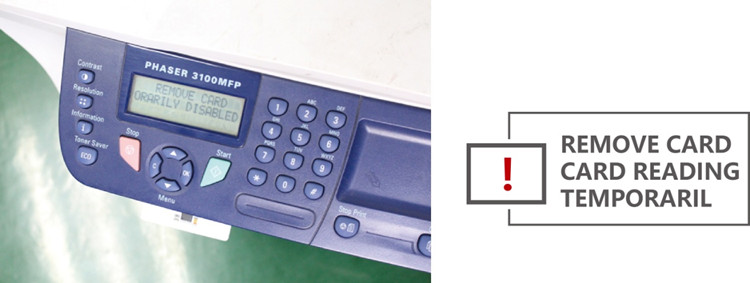
Error description:
Recently, customer feedback: When they finished using the Xerox MP3100 toner cartridge, replacing the new toner cartridge, then the card chip installed in printer displaying an error, and even staying in lock.

Solution:
When you have finished using the card chips of printer toner cartridge, please according the printer's prompt to replacing the new toner cartridge(Note: the card chip can't be installed in printer directly). When the printer had displayed an error , the printer will automatically unlocked on 24 hours.
Next, Zhono sorts out the process of replacing the new toner cartridge when the card chip printer's toner cartridge empty.
Step 01:
When the printer's toner cartridge empty, displaying :TONER EMPTY REPLACE. Chose

Step 02: Display :OPEN FRONT COVER ,RELACE TONER. If you have replaced toner , opening front cover and then clocking.

Step 03: After replacing the toner , displaying :HAVE YOU CHANGED THE TONER?. Chose

Step 04: Displaying :INSERT THE TONER CARD. Ending.

If you are interested with Printer and Copier Parts, please contact us by requirments.
Guangzhou Xingang Electronic Technology Co., Ltd.
(Source:ZHONO)