Event: Xerox 286/2060 series black and white copier displayed an error code:042-323.
Xerox 450I copier

Error Code:042-323

What’s the reason of Xerox 450I maybe displayed error code:042-323.
Step 1: Check the Cartridge Drive Motor.


△Unscrew the screws on both ends of the lid and open the cartridge
△Check for any damage of the gear.
Step 2: Check the toner cartridge Waste Powder recovery device.
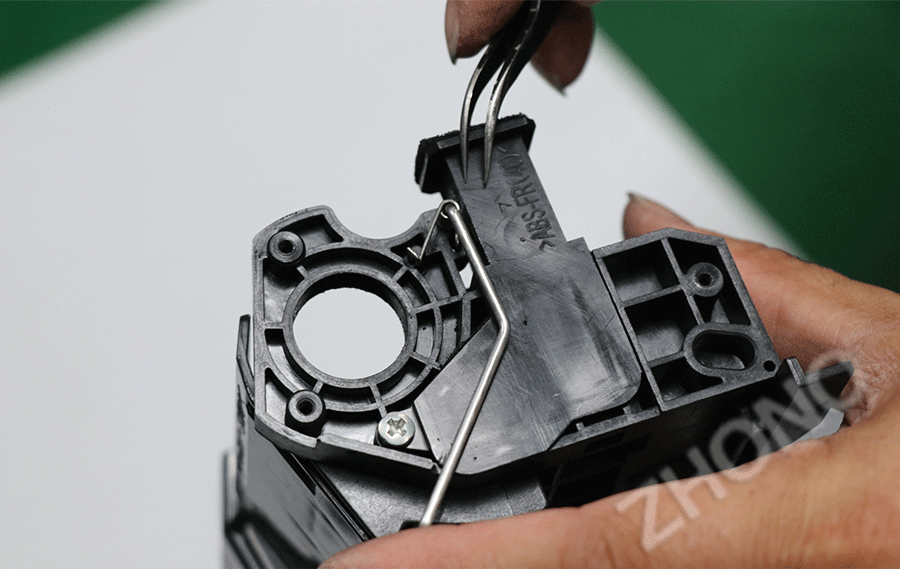
If the Cartridge Drive Motor is not abnormal, then check cartridge waste toner recovery unit . if the screw rod can not effectively collect waste toner collection cycle to the cartridge. Then, the large resistance of waste powder is higher than the probability of failure.
After verification, the reason of Xerox 450I copier displayed error 042-323 is cartridge component failure. [Supplementary Note]: This series of machines do not have a separate waste toner Cartridge waste powder Recovery device waste powder can not be recycled lead to accumulation, so that the drum drive gear overload, which can not be normal rotation caused by the failure.


△the cartridge waste toner recovery
△Clean the waste powder, check the gear rotation is normal
above the operation, the machine is still not working , please replace a new toner cartridge on it.
So, how to avoid the error in maintenance?
Please clean the cartridge waste toner recovery unit when printing a toner cartridge life and then replacing a new chip.
Xerox 286/2060 series copiers
Fuji Xerox DocuCentre IV2060/3060/3065,
Fuji Xerox ApeosPort IV2060/3060/3065
Fuji Xerox DocuCentre450 I/550 I
Fuji Xerox DocuCentre-II 4000/5010
Fuji Fuji Xerox ApeosPort 350I/450I/550I
Fuji Xerox ApeosPort-II 3000/3010/4000/5010
Fuji Xerox DocuCentre-236/286/336
Fuji Xerox DocuCentre-ll 2005/2055/3005
Fuji Xerox DocuCentre-III 2007/3007
If you are interested with CHIP products, please contact us by requirments.
Guangzhou Xingang Electronic Technology Co., Ltd.
(Source:ZHONO)